

Learn how to protect social media accounts from hackers and scams with simple steps: strong passwords, 2FA, and real examples from Ghana and across Africa.
How To Protect Your Instagram And TikTok Accounts in Ghana (So You Don’t Lose Everything Overnight)
If your Instagram or TikTok disappeared today, how much would you lose? For many Ghanaians and diaspora creators, one hacked page can wipe out years of content, brand deals, small business customers, and even mobile money leads in a single night.
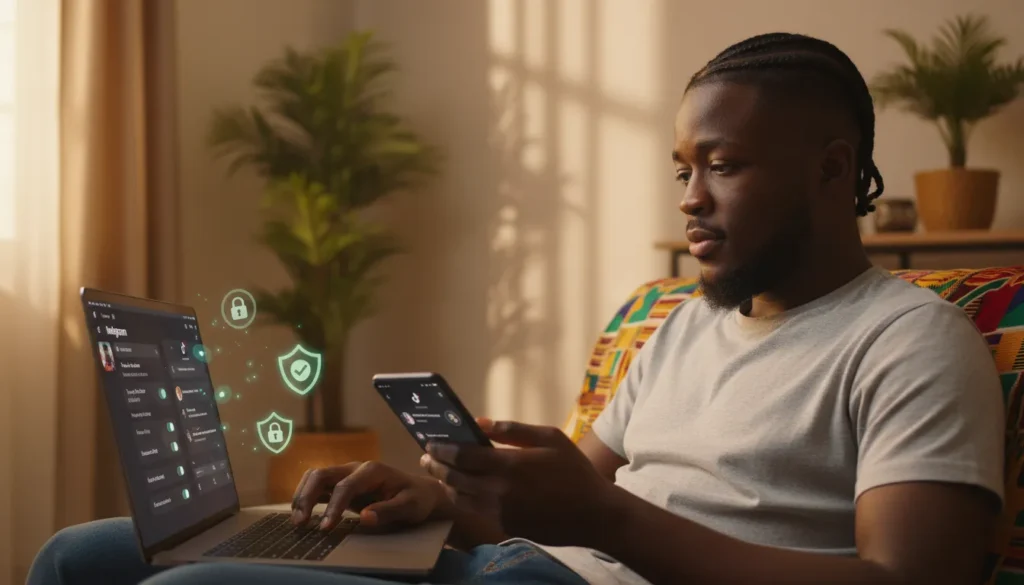
Cybercrime is rising globally, and social media is one of the easiest targets. Research on online social networks shows threats like account hijacking, identity theft, impersonation, data breaches, and malware are now everyday risks for regular users, not just big companies. In Ghana, the Interior Minister and the Ghana Police Service have repeatedly highlighted online impersonation, sexual extortion, and sophisticated financial cybercrimes as a growing threat, leading to new cybercrime and digital forensics capacity within the Police Service.
The good news: you don’t need to be “techy” to secure your accounts. With a few simple changes, you can make your Instagram and TikTok very hard to hack, spot scams before they hit you, and know exactly what to do if something feels off.
This guide is written for Ghana-based users and the diaspora who rely on social media for business, content, or just daily life.
What You Need To Know
Most people only think about social media account security after something goes wrong – a hacked page, missing followers, or scam posts going out in their name. Studies on social platforms like Instagram and TikTok show that the biggest risks are account hijacking, impersonation, data leaks, harassment, and malware links spread through DMs and comments.
The surprising part is that most takeovers are not “advanced hacking”. Reviews of online security incidents highlight the same root causes over and over again: weak or reused passwords, fake login pages (phishing), oversharing private information, and installing shady third-party apps. Whether you’re in Accra, Lagos, Nairobi, London or Atlanta, the playbook attackers use is very similar.
For Ghanaian and African users, there’s an extra twist: cybercrime very often connects to mobile money, online business pages, and social media marketing. Ghana’s Interior Minister and the Police Service have stressed that online impersonation, romance and recruitment scams, and digital financial fraud are now major priorities, backed by new cybercrime and forensics units. So when you secure your socials, you’re also protecting your money and your reputation.
You don’t need to be a tech bro to fix this. With a few changes to how you log in, what apps you connect, and which links you trust, you can make your Instagram and TikTok extremely hard to break into – and easier to recover if anything happens.
Step-by-Step Guide: Lock Down Your Instagram & TikTok
1. Upgrade your passwords properly
Security research and platform best-practice guides agree that strong, unique passwords are your first serious defence.
What works:
- Use at least 12 characters, mixing upper and lower case letters, numbers and symbols – not your name, birthday, or “Ghana123” style patterns.
- Never reuse the same password across Instagram, TikTok, email, and banking. Data-breach reports show that once one password leaks, attackers quickly test it on other services.
- Use a trusted password manager (like Bitwarden, 1Password, or your browser’s built-in manager) instead of storing logins in WhatsApp chats or phone Notes.
For readers in Ghana and across Africa who use shared phones or browse at cafés, always log out after use and clear saved passwords. Shared devices plus weak passwords are one of the easiest ways for accounts to get hijacked.
You can naturally link here to any existing Debesties post that talks about basic online security or avoiding mobile money fraud.
2. Turn on two-factor authentication (2FA) on every key account
Two-factor authentication means that even if someone steals your password, they still need a second code (from SMS or an app) to log in. Security companies and platform guides keep repeating the same message: if you only do one thing, do this.ws your password, they still need a second code (from SMS or an authenticator app) to log in.
On Instagram:
- Go to Profile → Menu → Settings → Account Center → Password and Security
- Turn on Two-factor authentication (2FA)
- Choose:
- An authentication app like Google Authenticator (more secure) or SMS codes if that’s easier for you, or
- SMS codes if you don’t want an app
Guides from security companies and creator platforms strongly recommend using an app-based 2FA over SMS where possible, because SIM-swap attacks can intercept SMS codes.
On TikTok:
- Go to Profile → Menu (☰) → Settings and privacy → Security & permissions → Security checkup.
- Turn on 2-step verification, and link your phone and email as backup methods.
Because SIM swaps and stolen phones are real issues in many African markets, security experts recommend using an authenticator app where possible and not relying only on SMS. At minimum, make sure the number linked to your accounts is one you control and plan to keep.
TikTok’s own help centre walks through this process and highlights managing trusted devices and checking security activity.
Practical Ghana tip:
If you change SIMs often (e.g., MTN to Vodafone to AirtelTigo), make sure your security numbers and emails are still valid and accessible, or you can lock yourself out of your own account.
3. Clean up logged-in devices and active sessions
Many people are still logged into social media on old phones, ex-partners’ devices, or cybercafé computers. Platform security guides explicitly recommend checking where you’re logged in and removing unknown devices.
On Instagram:
- Open Settings → Account Center → Password and security → Where you’re logged in.
- Review locations and device names.
- Remove any you don’t recognise, and if something looks suspicious, log out of all devices and change your password immediately.
On TikTok:
- Go to Settings and privacy → Security & permissions → Security checkup or Manage devices.
- Remove old phones, borrowed devices, and anything you don’t recognise.
Do this at least once a month, or any time you:
- Sell or give away a phone
- End a relationship where you might have shared logins
- Log in from a public computer while travelling
For Ghanaian readers commuting between Accra, Kumasi and other cities, this is especially important if you often log in on friends’ phones during long trips.
4. Stop “giving away” your login through third‑party apps and fake pages
A huge number of hacks worldwide start with fake login pages and shady apps: “Check who stalked your profile”, “Claim your prize”, “Get 10k followers in 24 hours”. Security reviews list phishing and malicious third-party apps as a top attack vector across all major social networks.
Good practices:
- Only log in via the official Instagram and TikTok apps or their official websites (instagram.com, tiktok.com).
- Be suspicious of any site or app that asks for your full Instagram or TikTok password just to show you “extra stats” or “free followers”.
- Avoid connecting your account to automation tools that promise spammy growth – apart from security risks, they can also violate platform rules and get you banned.
To clean up existing access:
- Instagram: Settings → Security → Apps and websites → remove tools you don’t recognise.
- TikTok: Settings and privacy → Security & permissions → review and disconnect third-party access.
This is a good section to internally link to any Debesties guide on avoiding fake giveaways or spotting social media scams.
5. Tighten your privacy settings and DMs
Privacy and security studies highlight that oversharing personal information online increases your risk of harassment, identity theft, and social engineering attacks. The platforms give you tools to protect yourself – you just have to use them.
On Instagram:
- Decide if you really need a public profile. If you’re not a creator or business, a private account may be safer.
- Under Privacy settings, limit who can tag or mention you and use “Hidden Words” to filter abusive or spammy DMs.
- Be careful with posts that show your house, school, workplace, or live location. Posting after you leave a place is usually safer.
On TikTok:
- Use Settings and privacy → Privacy to control who can DM you, duet, stitch, or download your videos.
- Set your default audience (Public / Friends / Private) based on how public you want your life to be.
For creators and small businesses across Africa, this is not only about safety. Cleaning up your mentions and DMs also reduces spam and keeps your brand space clean for real customers and followers.
You can internally link here to any post on mental health and social media or dealing with online trolling on Debesties.
6. Learn to recognise scams that use your social media
Law-enforcement updates in Ghana and other African countries repeatedly point to a similar set of social-media-driven frauds: fake recruitment and scholarship adverts, romance scams, impersonation of officials or influencers, and mobile money or investment schemes promoted through hacked pages. Global reviews of online safety also flag these patterns.
Watch out for:
- Suddenly “different” behaviour from pages you follow: unusual investment pitches, urgent giveaways, or posts that don’t sound like the original creator.
- DMs claiming to be “Instagram/TikTok support” asking for your password or verification code – legit support teams never do that.
- Anyone rushing you to send money: “Offer ends in 10 minutes”, “You must pay now to unlock your prize”.
Safer habits:
- Verify offers via official websites or verified accounts, not just screenshots.
- For money-related requests, cross-check with a second channel (phone call, official email, or in-person).
- If you run a business page, clearly state your official payment channels and warn followers about impersonation.
This section can link to any Debesties content on mobile money safety, romance scams, or online side hustle traps.
7. Prepare a recovery plan before anything happens
Good online-safety guides recommend having recovery options ready: up-to-date contact info, backup codes, and documented proof of ownership.
Simple checklist:
- Make sure the email tied to your Instagram and TikTok is one you control, with its own strong password and 2FA.
- On Instagram, generate backup codes in the 2FA settings and store them offline where you can find them.
- On TikTok, keep your phone and email verified via the Security checkup.
- Keep a few screenshots showing:
- Your profile page
- Your email/phone in settings (redacted for sharing)
- Brand or ID documents if it’s a business account
If you suspect a hack:
- Try to log in and change your password immediately.
- Use “Forgot password?” to reset via your verified email or phone.
- Use the “My account was hacked” help flow on Instagram or TikTok for extra review.
- If fraud or extortion is involved, keep evidence and report to your local cybercrime or police unit where available.
Why This Matters For You
Whether you’re a Ghanaian student posting Reels from campus, a Nairobi fashion influencer, a Lagos small business selling through DMs, or a diaspora creative building a global audience, your social accounts are more than just entertainment now – they’re part of your identity and, in many cases, your income.
Academic reviews show that when social media accounts are compromised, victims don’t just lose followers. They deal with emotional stress, damaged trust, possible financial loss, and a long process of rebuilding their online presence. In African contexts where mobile money and WhatsApp/Instagram commerce are deeply linked, a hacked page can quickly spill into real life.
For Ghana and West Africa especially, cybercrime units are still catching up with the scale of online fraud, even as governments invest in better digital forensics and training. That’s why prevention is your strongest move. The more creators, businesses and ordinary users follow basic social media account security steps, the less profitable and less attractive our region becomes for scammers.
As a Debesties reader who lives online – creating, hustling, or just vibing – securing your Instagram and TikTok is not an optional extra. It’s a core part of protecting your story, your brand, and your money.
Conclusion
You don’t need advanced technical skills to protect your social media accounts. The main defences are simple and within your control: strong unique passwords, 2FA on everything that matters, regular device checks, careful control of third-party apps, smarter privacy settings, and a healthy level of doubt when money or “urgent” requests come through DMs.
Cybercrime teams in places like Ghana are improving their tools and enforcement, but they will always stress the same point – safe digital habits from ordinary users are the first and most important firewall. If you invest just 20–30 minutes today to lock down your Instagram and TikTok, you’re buying long-term peace of mind for yourself, your followers, and your business.
Use this guide as a checklist, share it with your friends and co-creators, and treat social media account security as part of your normal content and money plan, not an afterthought.
Spend 20–30 minutes today going through the steps in this guide. Your future self, your audience, and your business will thank you.


Discussion 0 comments
You must be logged in to write a comment.
Log In Sign UpNo comments yet. Be the first to start the conversation!